Monitoring
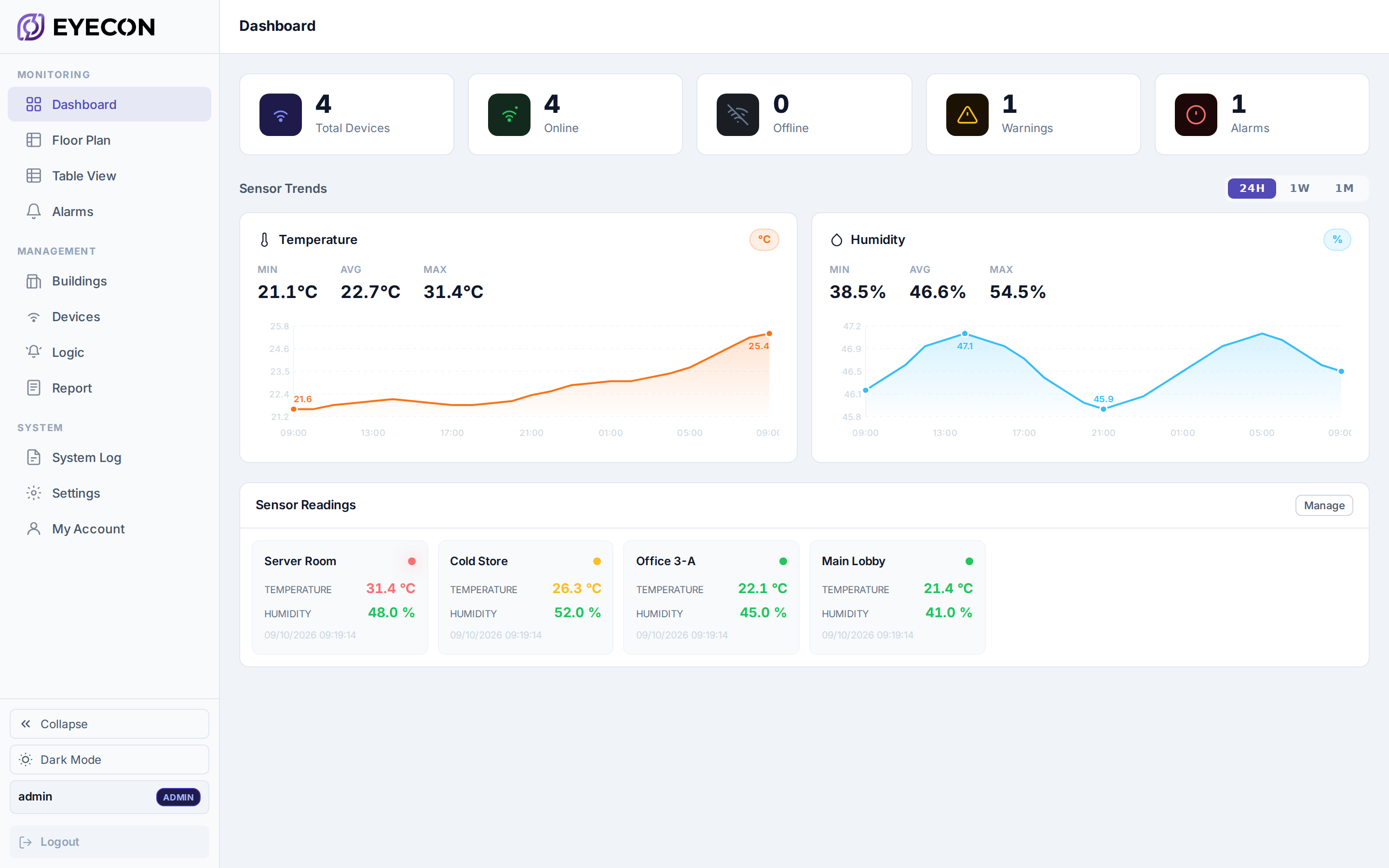
Live dashboard
Latest reading, connection state and time since the last uplink, pushed over a websocket.
Table view
Every device and every field in one sortable grid.
Device history
Full reading history per device, charted and exportable.


Point your gateway at Eyecon and readings arrive in seconds. Nothing to install, no server to build, no VPN to open — sign in and the whole estate is live, across every site you run.
Cards, table view and per-device history. Every value arrives over a live socket — no refresh, no polling.
Every workspace has the full feature set. There are no editions and no feature tiers — a plan controls how many devices you may add, nothing else.
Latest reading, connection state and time since the last uplink, pushed over a websocket.
Every device and every field in one sortable grid.
Full reading history per device, charted and exportable.
Place devices on a floor plan; a red marker points at a room, not an ID.
Group devices by building or site inside a workspace.
Sign-ins, device changes, acknowledgements and report runs.
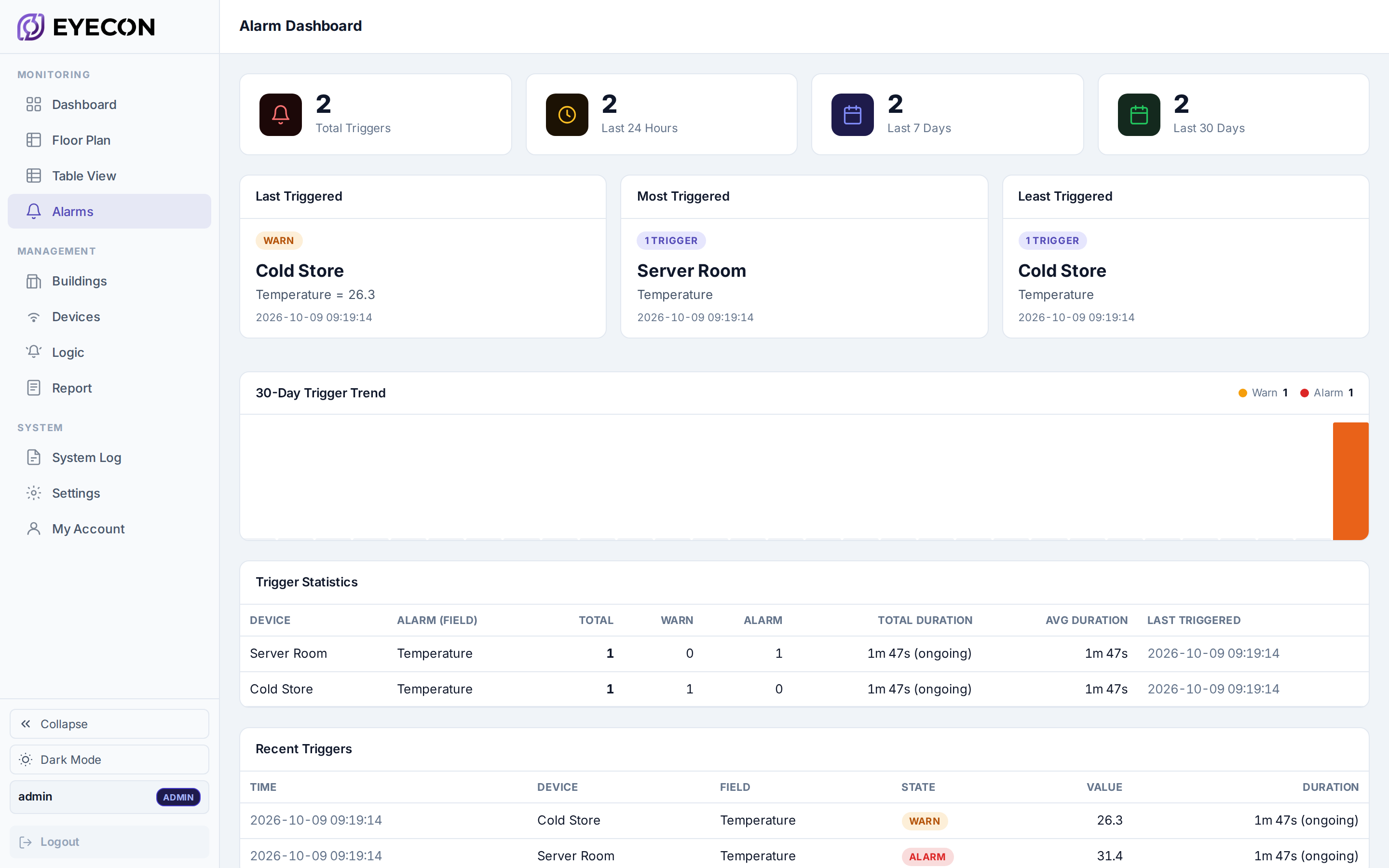
A warning and an alarm level on any value, or a state change for leak, motion and smoke.
Per-user opt-in, with a cooldown and reminders while the condition lasts.
Mutes the emails for 60 minutes by default. The alarm stays open and logged.
How often each alarm fired, how long it lasted, which are still ongoing.
A silent dashboard and a healthy one never look the same.
Per-device readings and charts, ready to file.
The same data as a spreadsheet for your own analysis.
Daily, weekly or monthly, emailed to a recipient list.
Isolated tenants per site or client. Nothing is visible across them.
Owners and admins manage settings; members get the monitoring views.
Private by default — a member sees what was granted.
TOTP with any standard authenticator; enforce it workspace-wide.
Colleagues join through a one-time email link.
Repeated failed sign-ins are throttled.
No service to start and nothing to restart after a power cut.
Updated for you. No installer, no maintenance window.
Data and configuration out on demand or on a schedule.
Switch language on sign-in, in the sidebar or the mobile menu.
Both themes ship; the choice follows you across devices.
The phone interface comes with the account — dashboard, alarms, devices, acknowledgement, in any browser. The iOS app is on the App Store; the Android app is in development.
Short answers to what teams ask before and after connecting their first gateway.
No. Eyecon is cloud hosted. Your gateway connects outbound over the internet — no server, no VPN, no open inbound ports.
Milesight LoRaWAN sensors for temperature, temperature + humidity, humidity, water leak, motion and smoke. Other models are confirmed case by case.
On servers located in Mongolia. Each workspace is isolated; one organisation's data is never visible to another.
By e-mail to each subscribed user, with a cooldown and reminders while the condition lasts. Acknowledging mutes the e-mails for 60 minutes by default; the alarm stays open and logged.
No. It is a monitoring and notification aid and does not replace fire, security or other systems required by law.
Yes — PDF, Excel or CSV at any time, and for 90 days after the contract ends.
That the sensor joined the gateway, the gateway has internet, and the gateway settings match the workspace exactly, including port and TLS.
E-mail support@eyecon.mn with the workspace name and, for a single device, its EUI.